Hello everyone!! 
We are excited to announce a new Android app version: ownCloud 4.6.0 for Android!!  Let’s take a look to the main news that are included in this open release:
Improvements for automatic uploads
First of all, we have improved the algorithm responsible for the automatic uploads of photos and videos. Previously, some files could be uploaded more than once due to slow synchronization between workers. The recent changes aim to prevent this issue and enhance the efficiency of this feature in the app.
Kiteworks integration
The latest version of the app now supports the integration with Kiteworks servers (starting from version 9.1.1). It has been adapted to allow users to take advantage of synchronization features (with all the limitations that they have) across all these servers. Moreover, Kiteworks and ownCloud servers can be configured on the same device at the same time.
Multi-account on Infinite Scale Servers
In version 4.6.0, we have fixed an issue related with the connection of multiple accounts to the same Infinite Scale server. This fix ensures proper handling of user sessions and allows smooth account switching for users who manage more than one profile. Additionally, an issue that was affecting the proper handling of user sessions has been fixed. 
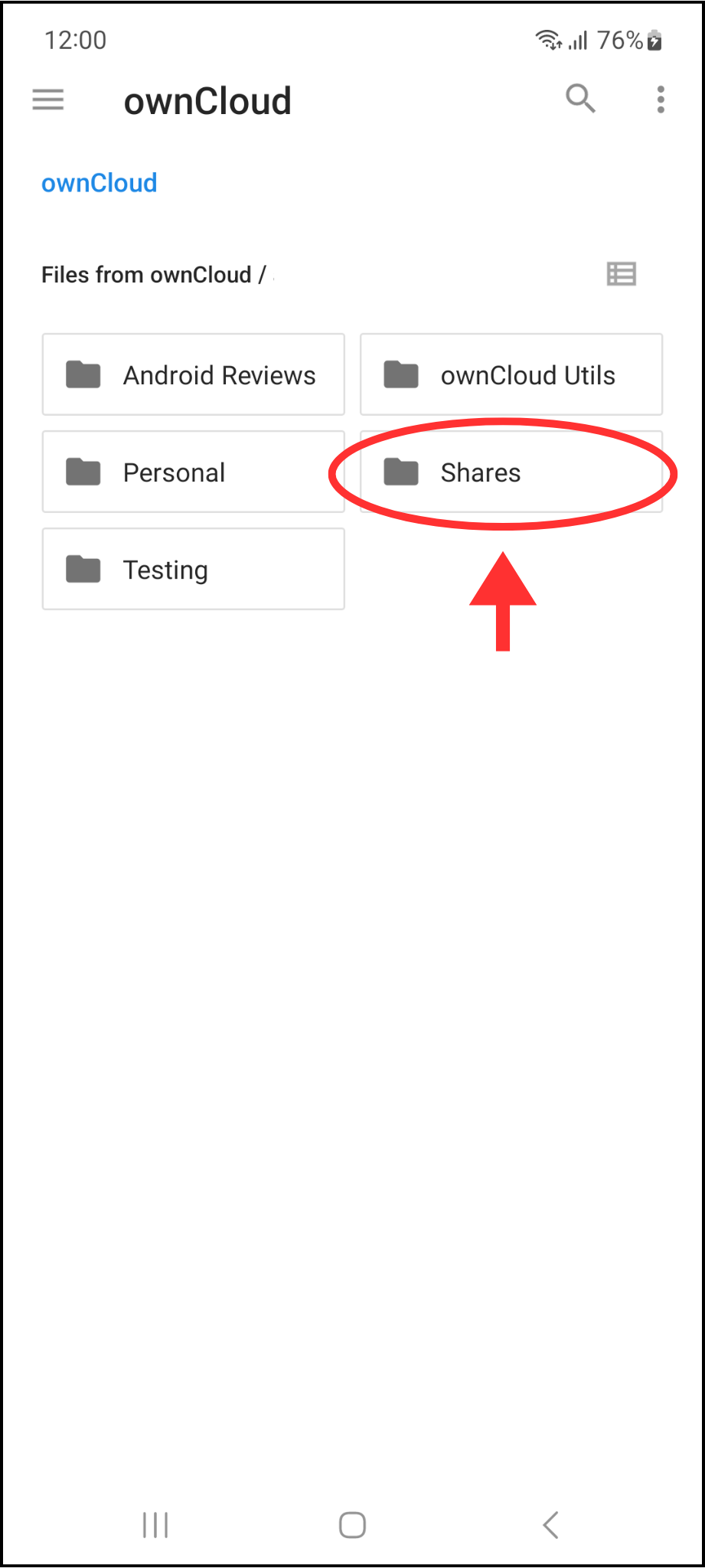
Shares space in the Documents Storage Provider
Last but no least, the Shares space has been included next to the other spaces in the Document Storage Provider (the Android native file explorer) for Infinite Scale servers. This integration allows users to perform any permitted operation within this space.
Bugfixes and other improvements
The new version also includes some bugfixes and improvements that make our app better:
- Content from spaces is now visible when sharing a file through third-party apps
- Added bottom margin in accounts dialog when multi-account is disabled (Thanks goonerDroid for your contribution!!
 )
) - The space icon in file details view for personal space has been changed
- Bumped SDK target to 35 (Android 15)
- Changed biometrics fail string
- Fixed the drawer for landscape
- Added a snackbar when uploading a file without available user quota
How can I enable logs in the ownCloud Android app?
Before starting trying to break the app, it’s very important and useful for us, the developers, to have a record of what’s happening in case the app misbehaves. Due to this, enabling logs and sending them to us is the best way of help improving the app and offering the best user experience.
Enabling logs
By default, logging is disabled. To activate them, you have to go to Settings > Logging > Enable logging. Since the moment they are on, logs will keep track of every event occurring in the app. These DON’T include user’s sensitive information, so they can be used safely.
Watching and sharing log files
Once logging is enabled and some actions have been performed within the app, log files will be created. To see them, you have to go to Settings > Logging > Log files. There, you can easily share them tapping on the share icon.
How can I send my feedback to ownCloud developers?
If you find a bug or want to make any suggestions, please participate in one of these channels:
– Open a new issue on GitHub: https://github.com/owncloud/android/issues
– Open a new topic on central: https://central.owncloud.org
– Start a conversation on Rocket.Chat: https://talk.owncloud.com/channel/mobile
Your feedback would be highly appreciated!
Enjoy the new 4.6.0 version 