Hello everyone!! 
We are very happy to announce a new Android app version: ownCloud 4.7.0 for Android!!  Let’s take a look to the main news that are included in this open release:
New design for the spaces list
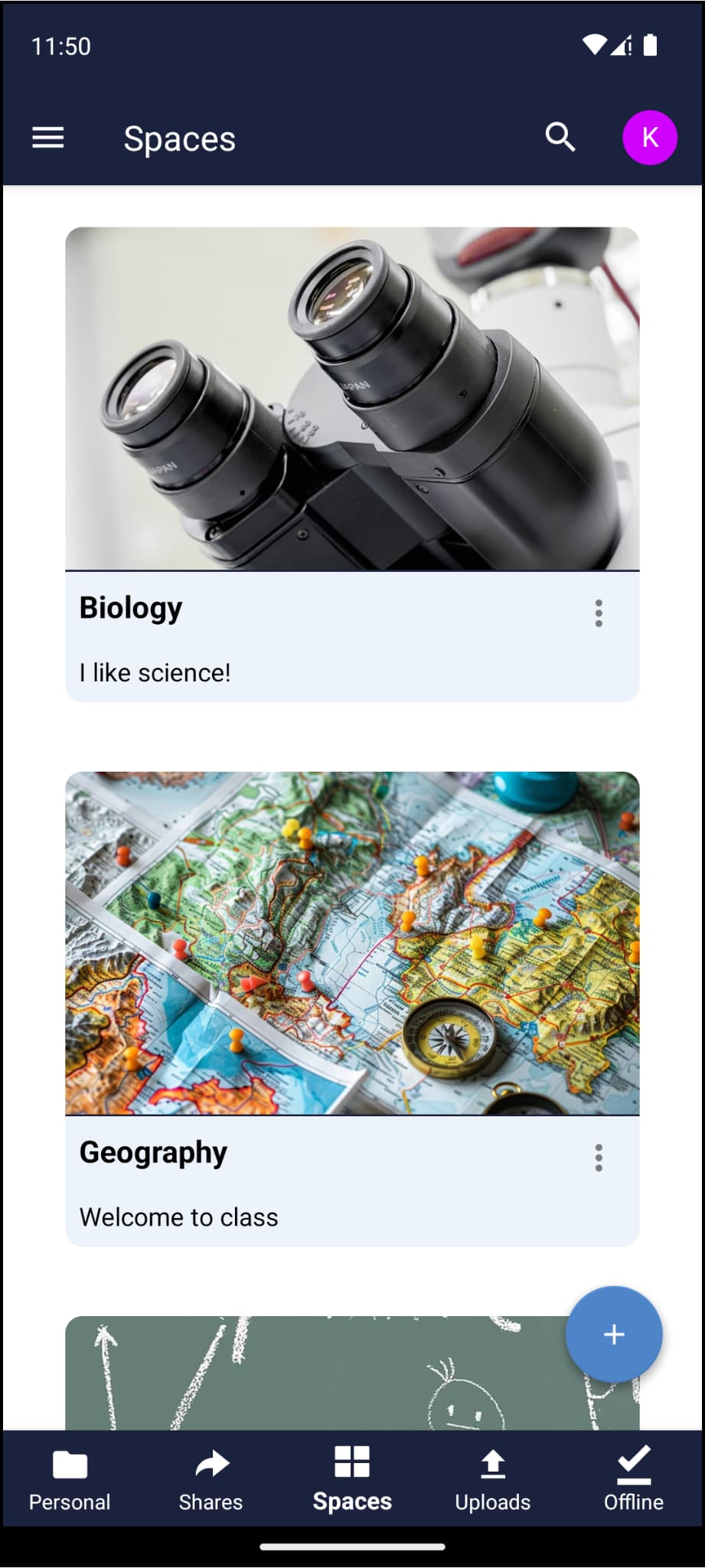
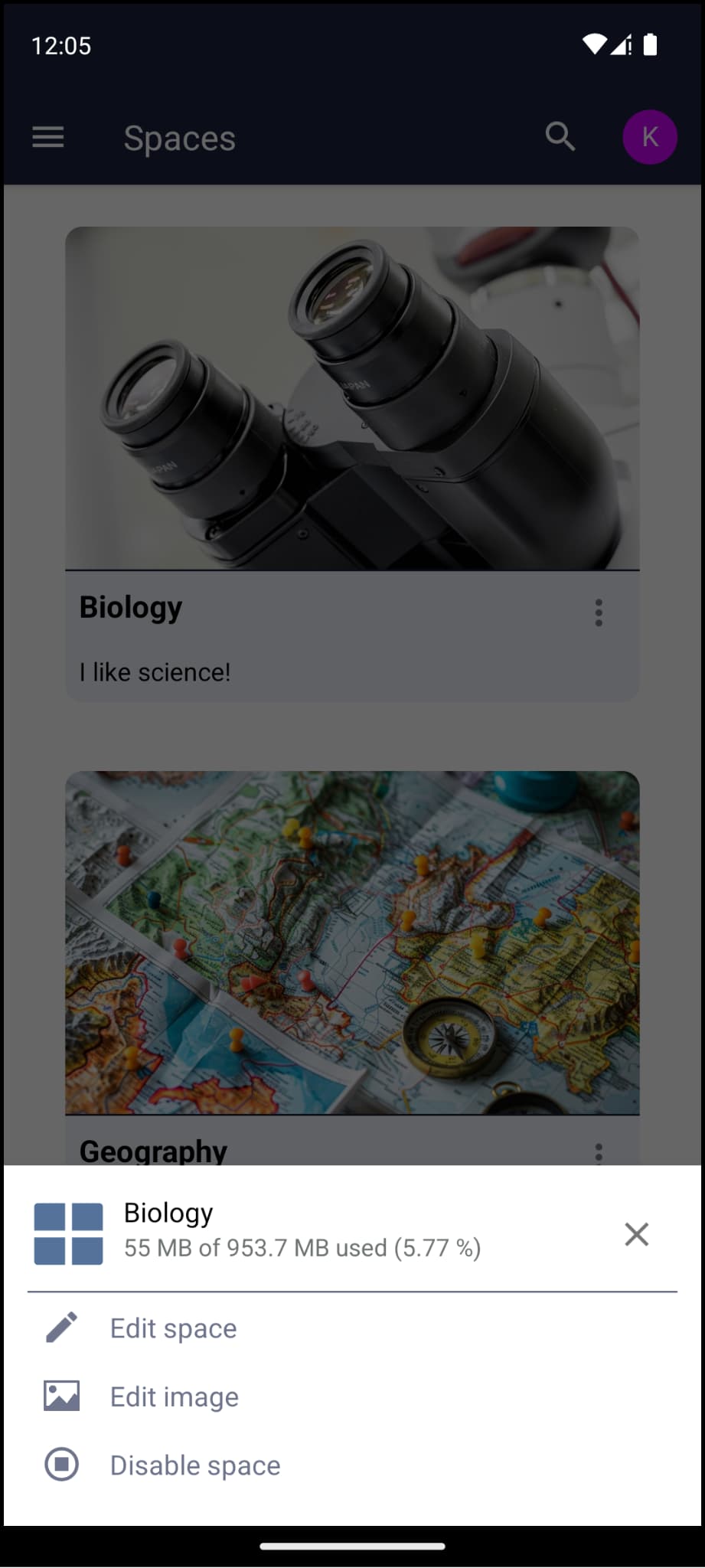
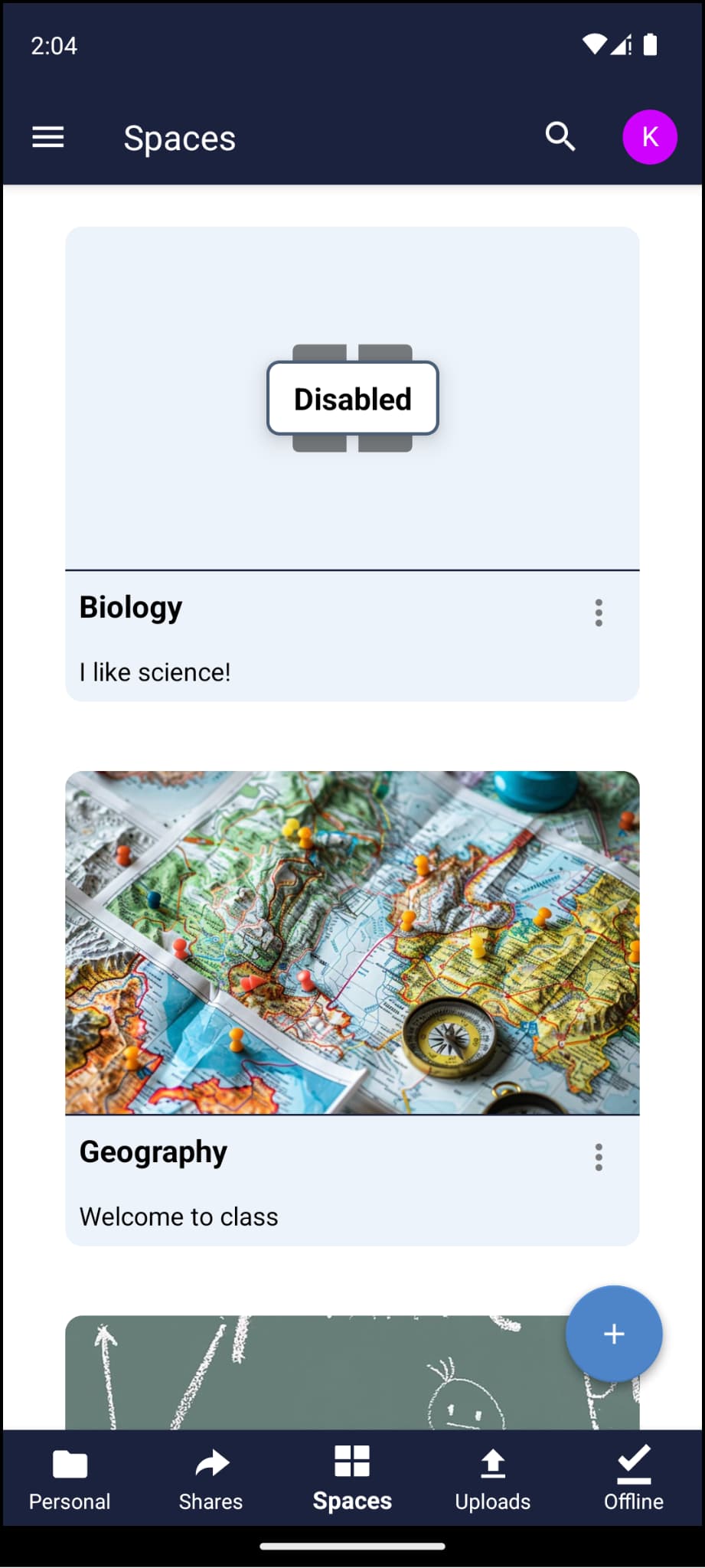
A fresh new design has arrived for Infinite Scale users in the spaces list! Spaces are now displayed in a single-column layout, providing a cleaner and more focused view. Moreover, each space card now includes a three-dot button that opens a menu, giving users quick access to space management options directly from the list. This change makes navigation smoother and space interactions more intuitive than ever. 
Space management
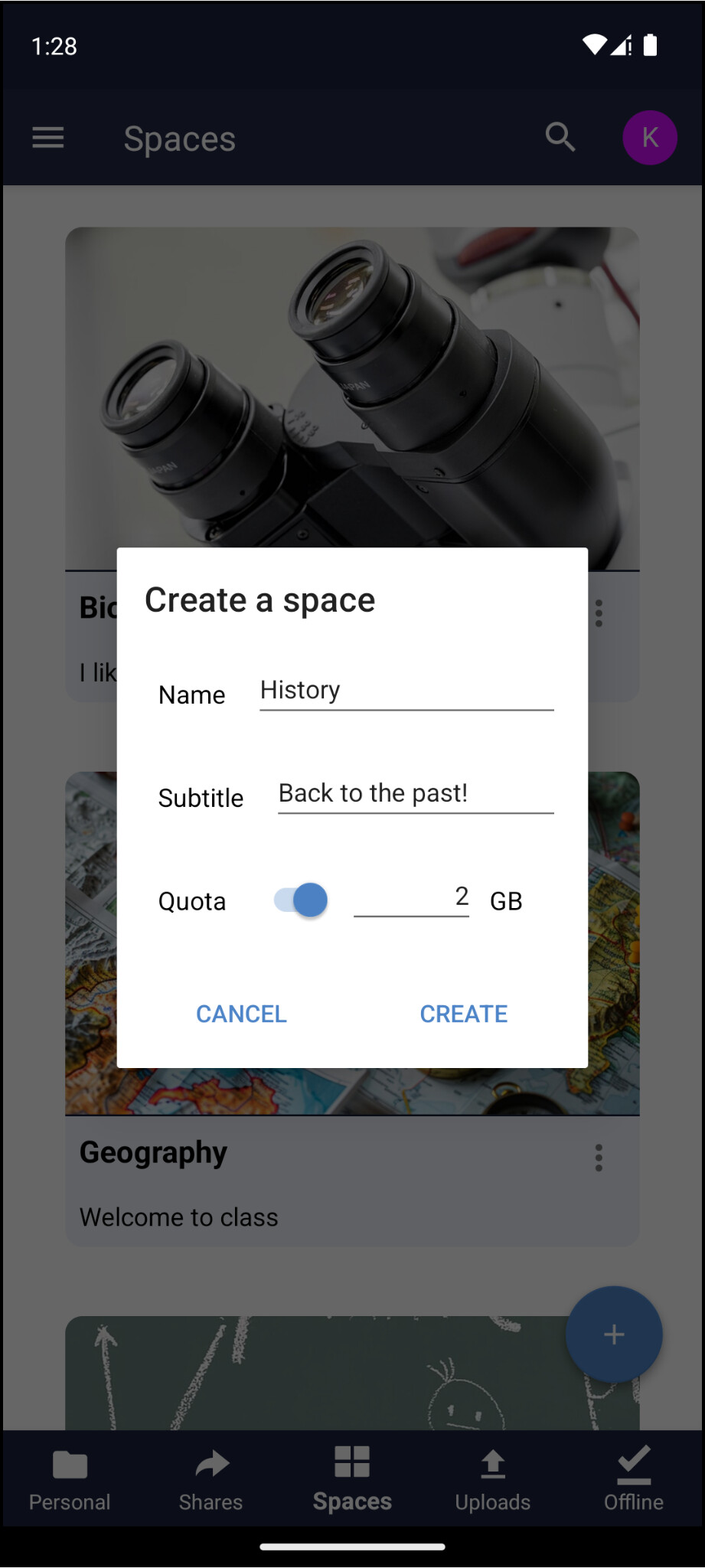
The highlight of this release is the introduction of new space management features. These new functionalities allow Infinite Scale users with right permissions to create, edit, disable, enable, and delete spaces directly from the app.
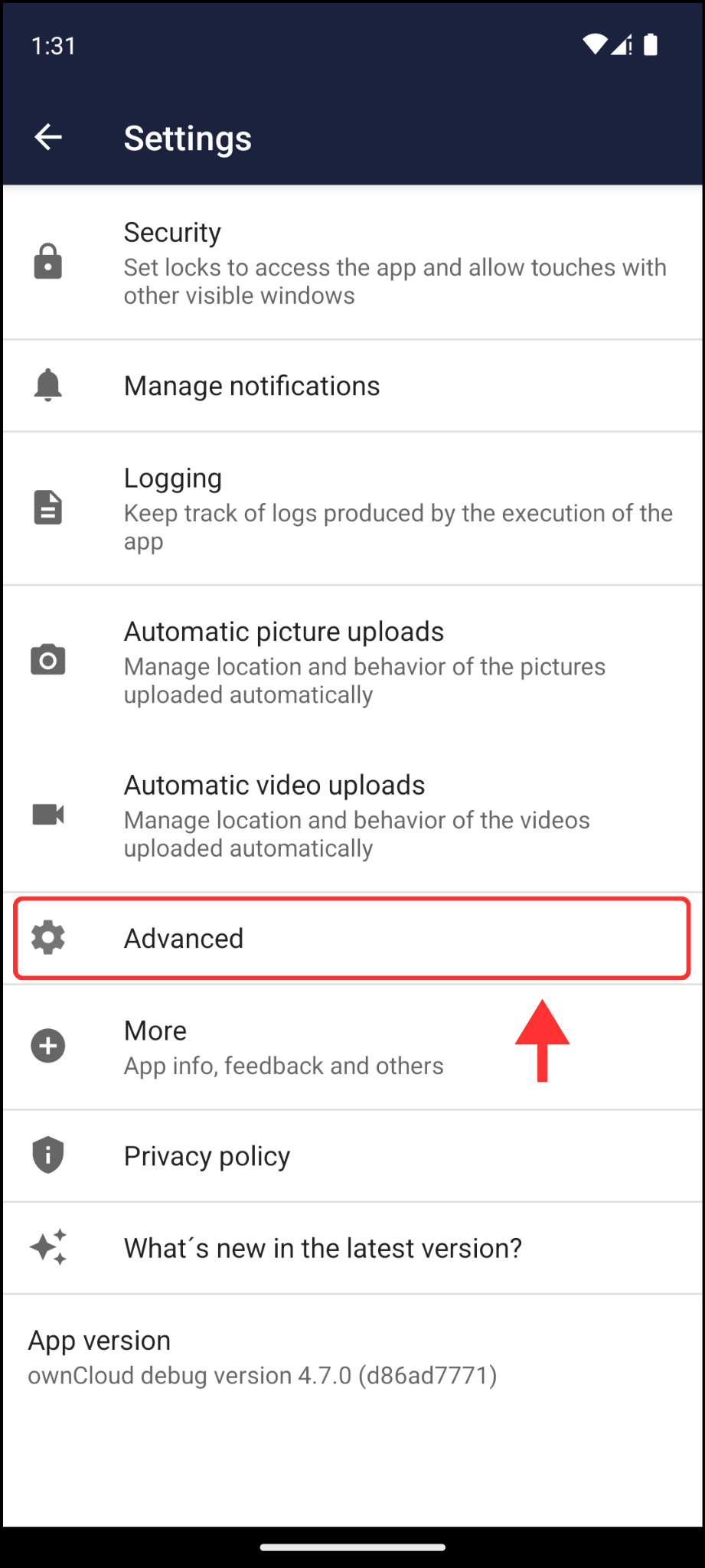
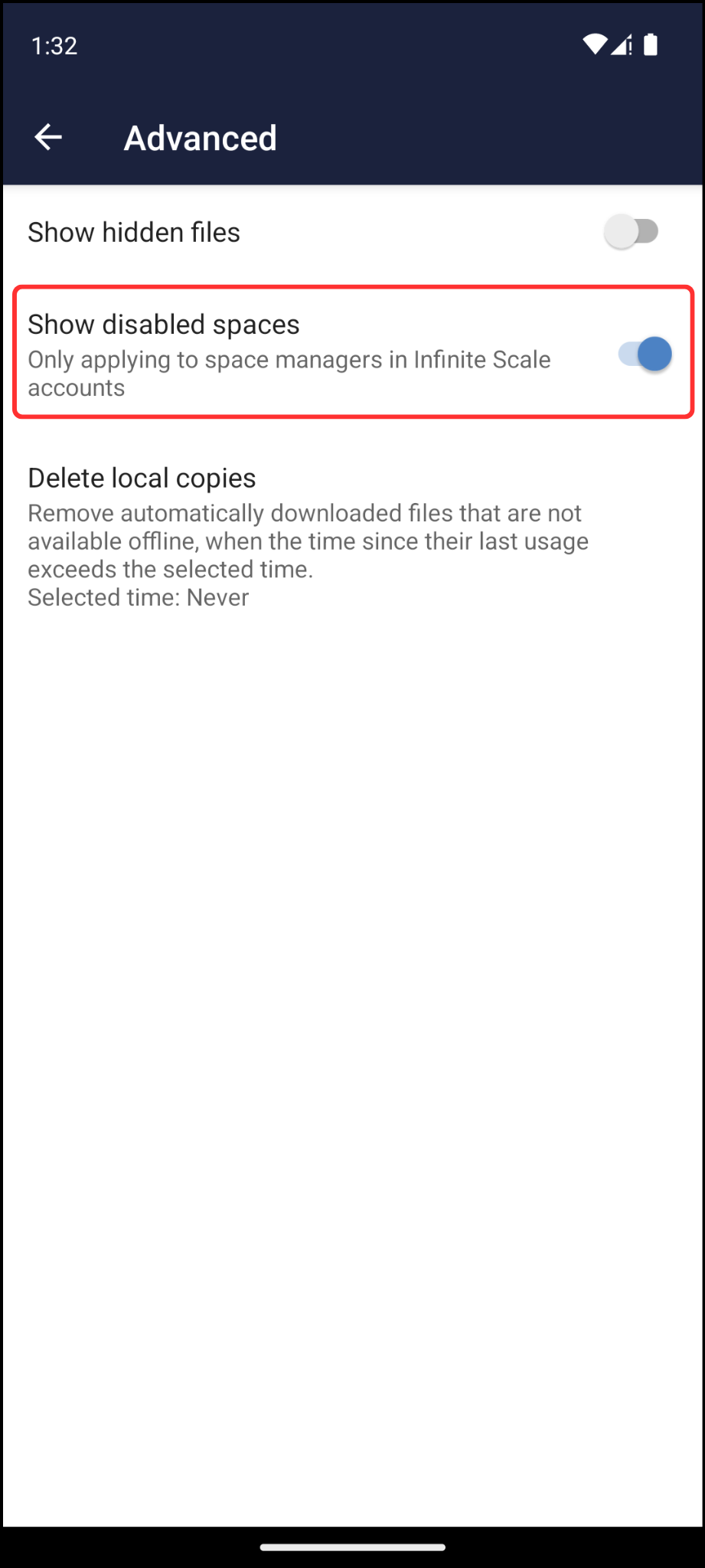
Additionally, a new option has been added to the advanced settings to show disabled spaces. It’s important to note that this option only applies to space managers in Infinite Scale accounts. 
Bugfixes and other improvements
The new version also includes some bugfixes and improvements that make our app better:
- Handling of HTTP code response 413
- Set authorization header for token request only when necessary
How can I enable logs in the ownCloud Android app?
Before starting trying to break the app, it’s very important and useful for us, the developers, to have a record of what’s happening in case the app misbehaves. Due to this, enabling logs and sending them to us is the best way of help improving the app and offering the best user experience.
Enabling logs
By default, logging is disabled. To activate them, you have to go to Settings > Logging > Enable logging. Since the moment they are on, logs will keep track of every event occurring in the app. These DON’T include user’s sensitive information, so they can be used safely.
Watching and sharing log files
Once logging is enabled and some actions have been performed within the app, log files will be created. To see them, you have to go to Settings > Logging > Log files. There, you can easily share them tapping on the share icon.
How can I send my feedback to ownCloud developers?
If you find a bug or want to make any suggestions, please participate in one of these channels:
– Open a new issue on GitHub: https://github.com/owncloud/android/issues
– Open a new topic on central: https://central.owncloud.org
Your feedback would be highly appreciated!
Enjoy the new 4.7.0 version 