Hello everyone, after renewing the Letsencrypt certificate in the iOS app, I keep getting a warning that the new certificate does not meet the acceptance rules.
Does anyone know which acceptance rules need to be met so that this message no longer appears and the certificate is accepted without warning?
Best regards, Steve!
This usually happens when the new certificate doesn’t fully match iOS trust requirements (e.g. missing full chain or domain mismatch). Even with Let’s Encrypt, make sure the full chain is installed correctly and the domain matches exactly.
Also worth checking app cache/re-adding the account—sometimes iOS still holds the old cert.
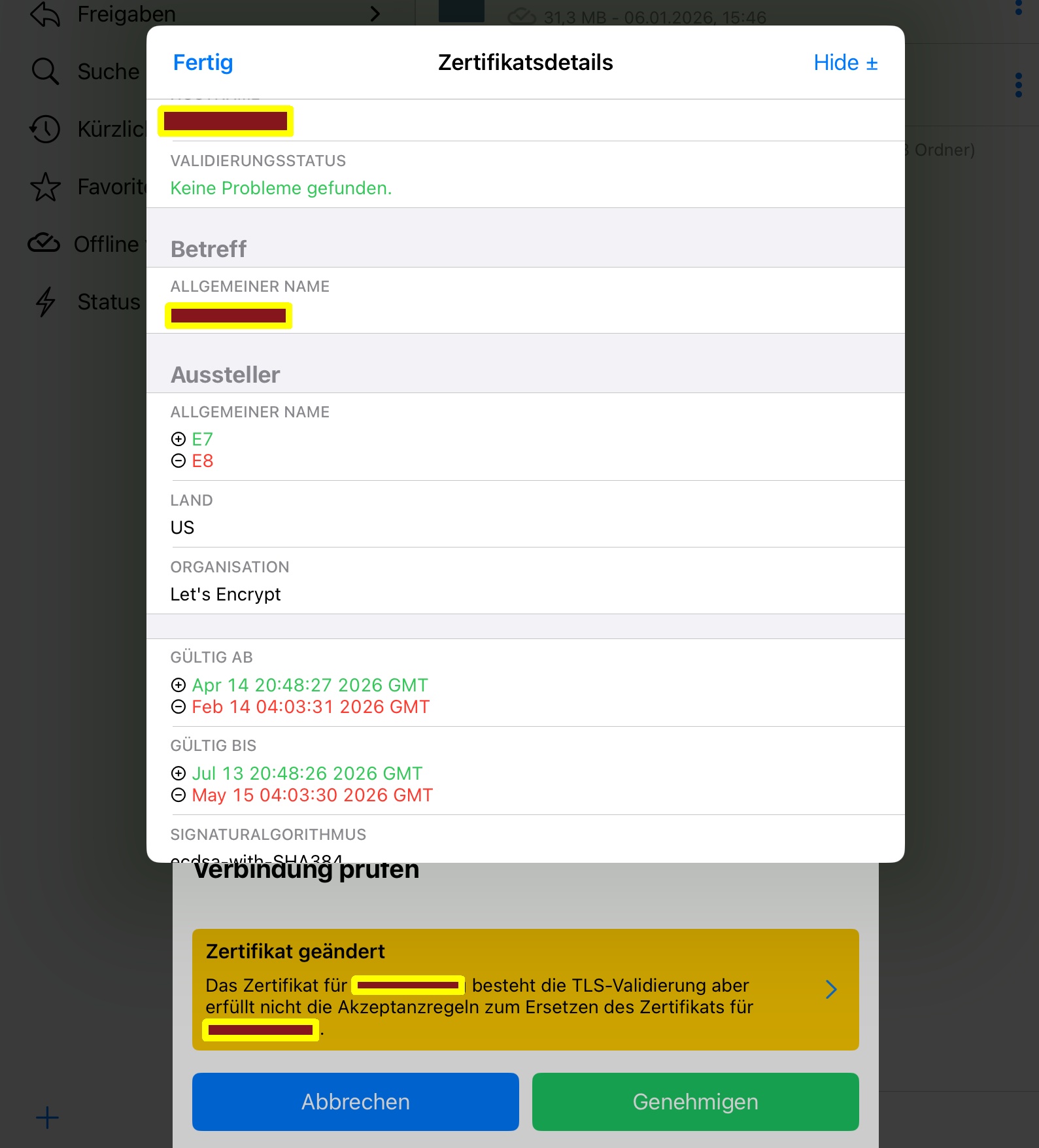
I have the same issue.waiting for app fix.
What made you believe or came to conclusion that the app needs a fix for this?
I don’t know,maybe because the problem originated from upgrade of the app?
The Warning page should tell us the reason failed to accept cert not only saying there is a problem.
I couldn’t find logs related to cert on the backend server.
Then maybe talk to the development team if you think there needs some improvements / fixes 
Thank you for your reply. I analyzed the verbose app log using deepseek and found the reason. This is not a bug but a storage policy for fixed intermediate certificates that is not recommended by Let’s Encrypt. Therefore, there is no need to submit an issue.